business
How to Write a Professional Business Email That Gets a Reply

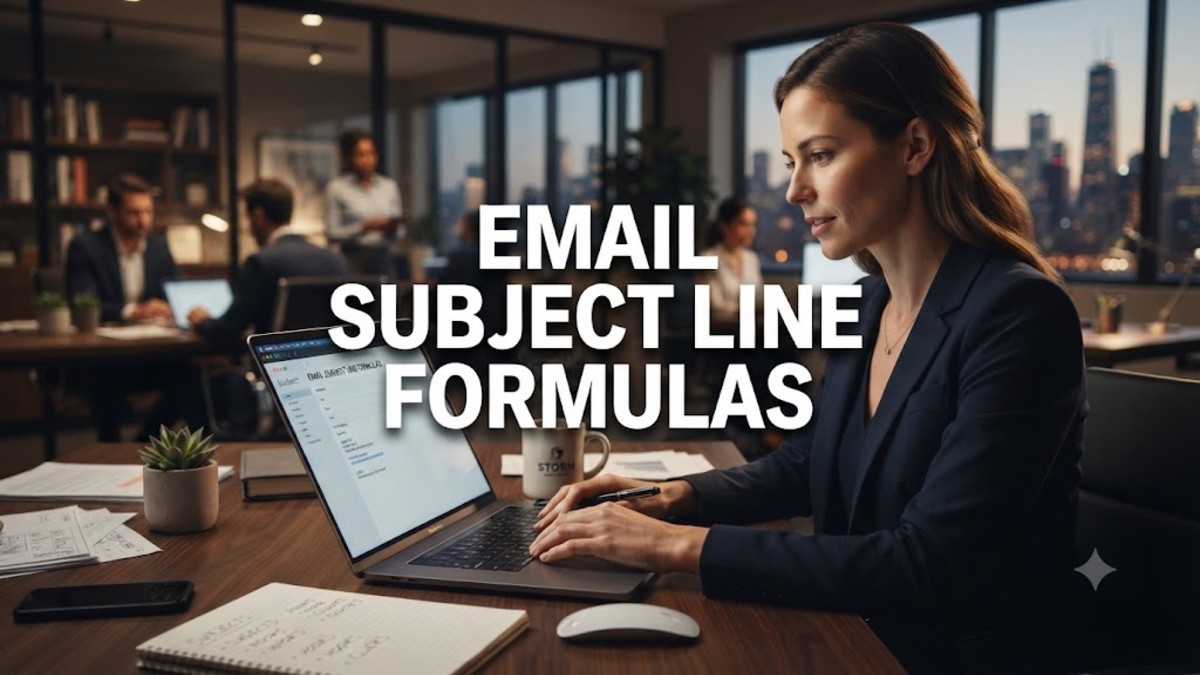
A good business email does more than share information. It saves time, builds trust, and makes it easy for the reader to say yes, ask a question, or take the next step. For small business owners, that skill matters every day, whether you are writing to a customer, a supplier, a partner, or a new lead. Learning how to write a professional business email is not about using stiff, formal language. It is about being clear, polite, and respectful of the reader’s time. In this guide, you will learn a simple business email format, practical formal email writing tips, and a short example outline you can adapt for almost any message.
1. Start With a Clear, Specific Subject Line
Your subject line is often the only part of your email that a busy reader sees before deciding whether to open it, delay it, or delete it. That is why good email subject lines for business are specific, honest, and useful. Instead of writing “Quick question” or “Update,” name the topic and, when possible, the action or date. For example, “Quote for 50 branded notebooks by Friday” tells the reader exactly what to expect. Aim for a short subject line, usually under 50 characters, and avoid all capital letters, excessive exclamation marks, and promises the email does not keep. A clear subject line also helps later, because both you and the reader can find the conversation quickly.
2. Use a Polite, Personal Greeting
A greeting sets the tone in the first second. When you know the person’s name, use it: “Dear Ms. Patel,” is safe for a first formal message, while “Hello Sarah,” works well once you have an established relationship. If you are writing to a team, “Hello everyone,” is clearer than a long list of names. Avoid casual openings such as “Hey” for new business contacts, and avoid guessing a title or spelling a name incorrectly. If you are unsure about a name, check the person’s website, email signature, or previous message before you send. A small amount of care here shows respect and makes the rest of the email easier to receive.
3. State Your Purpose in the First Lines
Busy readers should not have to search for your point. After the greeting, state your purpose in the first one or two sentences. You might write, “I am writing to confirm your order for Friday delivery,” or, “Could you please approve the attached invoice by Thursday?” This direct opening does not mean you should be abrupt. A short polite sentence, such as “Thank you for your message,” can come first, but the main request should follow immediately. When the purpose is clear early, the reader can decide, reply, or forward the email without reading the whole message twice.
4. Keep the Body Short and Structured
Most professional emails work best when they are short. Keep paragraphs to two or three sentences, use one idea per paragraph, and break important details into short bullet points. Dates, prices, quantities, and deadlines are easier to understand in a list than in a long sentence. If your email covers several topics, consider whether it should be two separate messages instead. Before you send, read the email once as the recipient: can you see what you need to do, by when, and what happens next? If not, shorten the message, move the key point higher, and remove background information that does not change the decision.
5. Match Your Tone and Follow Business Email Etiquette
Good business email etiquette is mostly about making the reader feel respected. Use polite, neutral language, even when you are raising a problem. Avoid sarcasm, jokes that could be misunderstood, and words written in all capital letters, which can look like shouting. Thank people when they help, apologize briefly when you make a mistake, and do not blame others in a group email. Reply within one working day when you can, even if the reply is only, “Thank you, I will confirm by Thursday.” Also check that you have attached the right file, used the correct recipient, and not copied people who do not need to act. These habits protect your reputation more than any clever wording.
6. End With a Clear Closing and a Simple Signature
Do not end an email with a vague hope, such as “Let me know.” Instead, give one clear next step: “Please reply with your preferred date,” or, “You can confirm by clicking the link below.” Then close with a simple sign-off such as “Best regards,” or “Kind regards,” followed by your name. Your signature should include your role, business name, and one or two useful contact details, such as a phone number or website. Keep it short. A long signature with quotes, images, and social media links can distract from your message and look unprofessional on a phone screen.
7. Avoid These Common Mistakes
- Using a vague subject line that does not explain the email.
- Burying the main request at the end of a long message.
- Sending a wall of text with no paragraphs or bullet points.
- Forgetting to proofread names, dates, prices, and attachments.
- Using “Reply all” when only one person needs to answer.
- Sending an emotional email before you have had time to reread it.
- Leaving out a deadline or a clear next step for the reader.
8. A Short Example Outline You Can Copy
Professional email examples are most useful when they follow the same simple structure every time. Use this outline as a starting point, then change the details for your own message. Subject: a clear topic and date or action. Greeting: the recipient’s name. Opening: your purpose in one sentence. Details: two or three short points, such as the price, date, or options. Next step: exactly what you would like the reader to do. Closing: a polite sign-off and a short signature. For example, a supplier email might read: “Hello Ana, I am writing to confirm our order of 100 gift boxes for delivery by 12 December. Please confirm the total price and delivery date. Thank you for your help. Best regards, Jordan.” That message is short, respectful, and easy to answer.
Before You Send: A Quick Checklist
Before you press send, check four things: is the subject line clear, is the purpose in the first lines, is the next step obvious, and have you proofread the message and attachments? If you can answer yes to all four, your email is ready. Writing a professional business email is a practical skill, and it improves with practice. Keep your messages short, specific, and courteous, and you will find that customers and partners reply faster, understand you better, and trust your business more.


How to Set SMART Goals for a Small Business: A Practical Guide That Actually Works

How to Repurpose Blog Content for Social Media Without Starting From Scratch

How to Write a Professional Business Email That Gets a Reply

How to Create a Content Calendar for a Small Business
How to Write Meeting Notes That People Actually Use

Consultative Selling Techniques: A Complete Guide to Building Customer Trust in 2026

Sales Objection Handling: A Complete Guide to Closing More Deals in 2026

Customer Closing Techniques: A Complete Guide to Converting Prospects into Buyers (2026)

Customer Conversion Process: A Complete Guide to Turning Visitors into Loyal Customers (2026)

Sales Funnel Examples: A Complete Guide to Converting More Customers (2026)
How to Create a Content Calendar for a Small Business
How to Write Meeting Notes That People Actually Use
How to Write a Professional Business Email That Gets a Reply
How to Repurpose Blog Content for Social Media Without Starting From Scratch
How to Set SMART Goals for a Small Business: A Practical Guide That Actually Works
How to Set SMART Goals for a Small Business: A Practical Guide That Actually Works
How to Repurpose Blog Content for Social Media Without Starting From Scratch
How to Write a Professional Business Email That Gets a Reply
How to Create a Content Calendar for a Small Business
How to Write Meeting Notes That People Actually Use
Consultative Selling Techniques: A Complete Guide to Building Customer Trust in 2026
Sales Objection Handling: A Complete Guide to Closing More Deals in 2026
Customer Closing Techniques: A Complete Guide to Converting Prospects into Buyers (2026)
Customer Conversion Process: A Complete Guide to Turning Visitors into Loyal Customers (2026)
Sales Funnel Examples: A Complete Guide to Converting More Customers (2026)

 entertainment1 year ago
PYT Telegram: A Complete Guide to Understanding, Using, and Maximizing It

 entertainment1 year ago
OnionFlix: Everything You Need to Know About This Streaming Website
- education1 year ago
How to Become a Software Engineer: A Complete Guide
- others1 year ago
Nook vs Kindle: Which E-Reader Is Right for You?