
Technology
USB-C Cable: The Complete Guide to Speed, Power, and Compatibility

Introduction to USB-C Cables
USB-C cables are everywhere. From smartphones and laptops to headphones, power banks, and even gaming consoles, this tiny reversible connector has quietly taken over our digital lives. If cables were languages, USB-C would be the one everyone finally agreed to speak.
But here’s the thing—while the connector looks the same, not all USB-C cables are created equal. Some charge faster, some transfer data quicker, and others can even handle video output. Confusing? Absolutely. Fixable? Totally.
Let’s break it all down.
What Is a USB-C Cable?
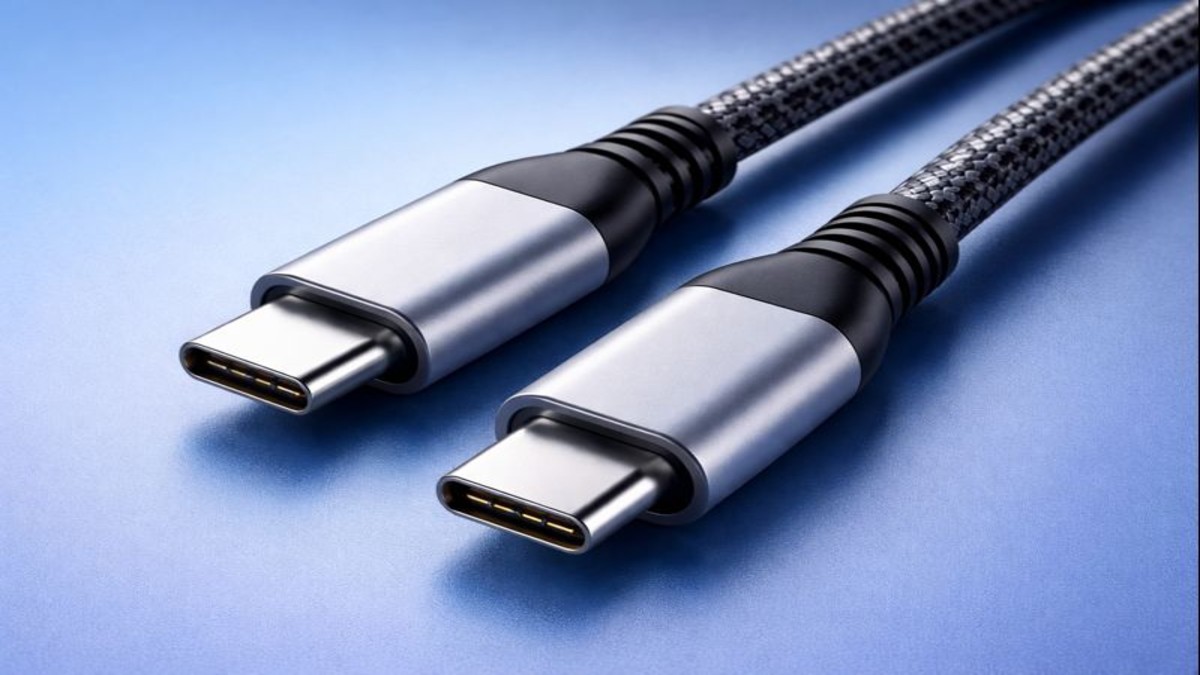
A USB-C cable uses a 24-pin, reversible connector that works no matter which way you plug it in. No more flipping the cable three times like you’re cracking a safe. That alone made USB-C a fan favorite.
But the real magic lies under the hood USB-C is a connector type, not a speed or power standard. That distinction matters more than most people realize.
Why USB-C Became the Universal Standard
USB-C solved three major problems at once:
- Reversibility
- Higher power delivery
- Support for data, video, and audio through one port
Think of it as a Swiss Army knife for connectivity. Governments, tech giants, and manufacturers embraced it to reduce clutter, waste, and user frustration.
Evolution of USB Technology
From USB-A to USB-C
USB-A ruled the world for decades. Then came USB-B, micro-USB, and mini-USB—each solving one problem while creating another. USB-C finally said, “Enough already,” and unified everything into one sleek design.
How USB-C Changed Connectivity
USB-C didn’t just replace old connectors—it replaced entire ports. HDMI? Sometimes gone. Charging barrel jacks? Vanishing. USB-C stepped in and said, “I’ve got this.”
Anatomy of a USB-C Cable
Connector Design and Reversibility
The symmetrical oval shape allows for identical top and bottom contacts. That’s why orientation doesn’t matter. It’s elegant engineering disguised as convenience.
Internal Wiring and Chipsets
Inside a quality USB-C cable are multiple lanes for power, data, and sometimes video. Advanced cables include integrated chips that manage safe power flow.
Role of E-Markers
E-marker chips tell devices how much power the cable can handle. Without them, high-watt charging would be unsafe. Cheap cables often skip this—and that’s risky.
Types of USB-C Cables
USB-C to USB-C
The most versatile option. Supports fast charging, high data speeds, and video output—if the cable is built for it.
USB-C to USB-A
Common for older chargers and computers. Limited in power and speed compared to USB-C to USB-C.
Thunderbolt vs Standard USB-C
They look identical, but Thunderbolt cables support extreme speeds and multiple displays. Plugging one into a regular USB-C port won’t unlock its full potential.
USB-C Data Transfer Speeds
USB 2.0, USB 3.2, USB4 Explained
- USB 2.0: Up to 480 Mbps
- USB 3.2: Up to 20 Gbps
- USB4: Up to 40 Gbps
Same connector. Vastly different performance.
Real-World Speed Comparisons
Transferring a movie on USB 2.0 feels like waiting in line. USB4 feels like teleportation.
Power Delivery and Charging
What Is USB Power Delivery (PD)?
USB-PD allows devices to negotiate power dynamically. Instead of guessing, your device asks for exactly what it needs.
Wattage Levels and Fast Charging
USB-C can deliver up to 240W with modern standards. That’s enough to power gaming laptops, monitors, and more.
Laptop vs Smartphone Charging
Phones sip power. Laptops gulp it. A proper USB-C cable handles both—if rated correctly.
Video and Display Capabilities
DisplayPort Alt Mode
USB-C can carry video signals without HDMI. One cable. One port. Clean desk.
USB-C for Monitors and TVs
Many modern monitors now rely entirely on USB-C for power, video, and data—minimalism at its best.
USB-C Cable Compatibility
Devices That Use USB-C
Phones, tablets, laptops, earbuds, cameras, gaming consoles—you name it.
Common Compatibility Issues
A cable may charge but not transfer data. Or display video but not fast-charge. That’s not a bug it’s design limitations.
Conclusion
The USB-C cable is more than just a wire—it’s the backbone of modern connectivity. Whether you’re charging a phone, powering a laptop, or running a full workstation through one port, the right USB-C cable makes all the difference. Choose wisely, and you’ll enjoy faster speeds, safer charging, and fewer headaches.
FAQs
1. Can one USB-C cable do everything?
Yes, if it supports high wattage, fast data, and video—but many don’t.
2. Why does my USB-C cable charge slowly?
It may not support high power delivery or your charger is limited.
3. Are Thunderbolt cables worth it?
Only if you need ultra-fast data or multiple displays.
4. Is USB-C safer than older USB cables?
Yes, especially with certified power delivery support.
5. How long does a USB-C cable last?
Quality cables can last years; cheap ones may fail in months.

Consultative Selling Techniques: A Complete Guide to Building Customer Trust in 2026

Sales Objection Handling: A Complete Guide to Closing More Deals in 2026

Customer Closing Techniques: A Complete Guide to Converting Prospects into Buyers (2026)

Customer Conversion Process: A Complete Guide to Turning Visitors into Loyal Customers (2026)

Sales Funnel Examples: A Complete Guide to Converting More Customers (2026)

Lead Qualification Framework: A Complete Guide to Finding High-Quality Customers (2026)

Website Credibility Factors: A Complete Guide to Building Trust Online (2026)

Online Reputation Monitoring: A Complete Guide to Protecting Your Brand in 2026

Customer Testimonial Strategy: A Complete Guide to Building Trust and Increasing Sales (2026)

Business Storytelling Framework: A Complete Guide to Building Strong Brand Connections (2026)
Consultative Selling Techniques: A Complete Guide to Building Customer Trust in 2026
Sales Objection Handling: A Complete Guide to Closing More Deals in 2026
Customer Closing Techniques: A Complete Guide to Converting Prospects into Buyers (2026)
Customer Conversion Process: A Complete Guide to Turning Visitors into Loyal Customers (2026)
Sales Funnel Examples: A Complete Guide to Converting More Customers (2026)
Lead Qualification Framework: A Complete Guide to Finding High-Quality Customers (2026)
Website Credibility Factors: A Complete Guide to Building Trust Online (2026)
Online Reputation Monitoring: A Complete Guide to Protecting Your Brand in 2026
Customer Testimonial Strategy: A Complete Guide to Building Trust and Increasing Sales (2026)
Business Storytelling Framework: A Complete Guide to Building Strong Brand Connections (2026)

 entertainment1 year ago
PYT Telegram: A Complete Guide to Understanding, Using, and Maximizing It

 entertainment1 year ago
OnionFlix: Everything You Need to Know About This Streaming Website
- education1 year ago
How to Become a Software Engineer: A Complete Guide
- others12 months ago
Nook vs Kindle: Which E-Reader Is Right for You?





