
Social Media Marketing
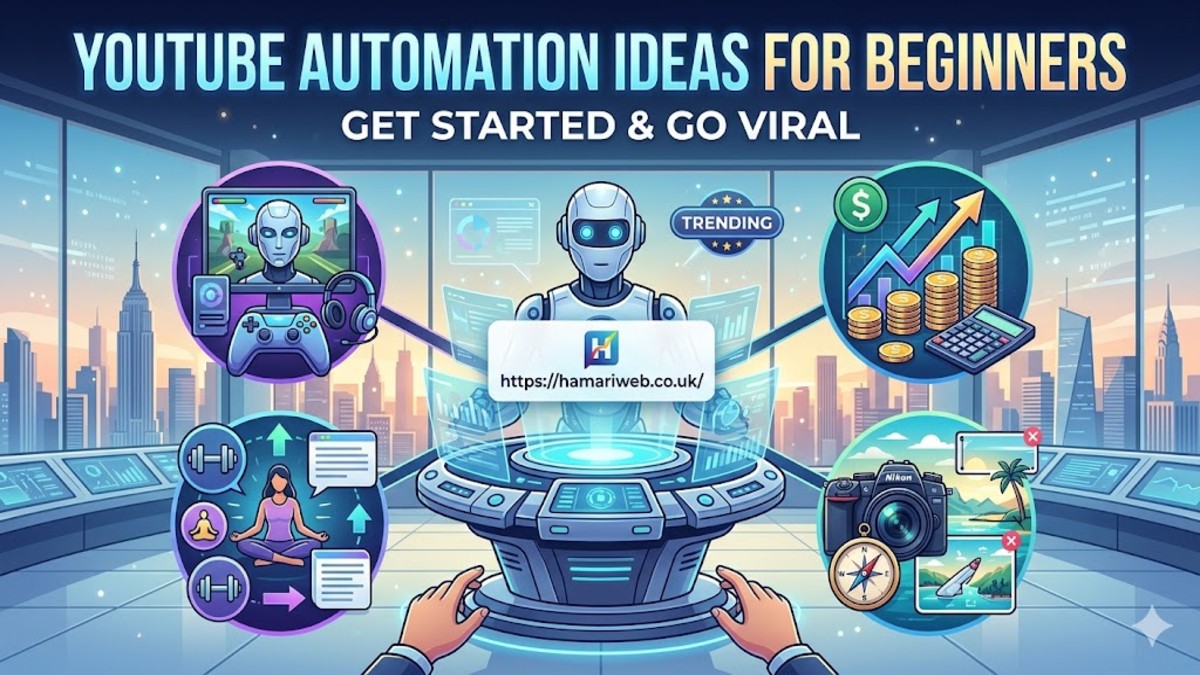
YouTube Automation Ideas for Beginners (Start Earning Without Recording Yourself)

Introduction
So… you’ve been thinking about YouTube automation ideas for beginners, right?
Honestly, I get it. Making YouTube videos sounds fun… until you realize how much work it actually takes. Scripting, recording, editing — it’s a lot.
And that’s exactly why automation is a game-changer.
Imagine running a channel where videos get uploaded regularly, views keep coming in, and you barely touch a camera. Sounds good, right? That’s what this article is all about — practical YouTube automation ideas that beginners in the USA can actually start with today.
No overhyped strategies. Just real things that work.
1. YouTube Automation Ideas for Beginners – Quick Overview
Before we dive in, here’s a quick snapshot:
- Text-to-Speech Videos – Let software do the talking.
- AI Scripted Content – Generate scripts using AI tools.
- Stock Footage Channels – Use royalty-free videos.
- Compilation Videos – Collect funny clips, top lists, or trending content.
- News/Fact Channels – Automate content with trending news or trivia.
All of these are beginner-friendly and don’t require you to show your face.
2. Text-to-Speech Channels (Easy Start)
If you don’t want to record your voice, TTS is perfect.
How it works:
- Write a script or use AI to generate one.
- Use text-to-speech software to convert it to audio.
- Pair it with stock footage or animations.
- Upload to YouTube.
Tips:
- Pick a niche that’s evergreen, like “top facts” or “life hacks.”
- Use natural-sounding TTS voices (don’t make it robotic).
Honestly… I’ve seen TTS channels hitting thousands of views per video without ever recording a single line.
3. AI Scripted Content (Save Time)
AI can help you write scripts in minutes.
How it works:
- Use tools like ChatGPT or Jasper to generate scripts.
- Focus on listicles, tutorials, or tips.
- Add some personal touch to make it sound human.
This is perfect for beginners who want YouTube automation ideas for beginners because it removes the hardest part — scripting.
4. Stock Footage & Clips Channels
You don’t need to shoot anything yourself.
Steps:
- Find royalty-free stock videos (Pixabay, Pexels, Unsplash).
- Combine them with your AI voiceover.
- Edit using simple software.
- Upload consistently.
People love quick, informative, or visually appealing videos. This works surprisingly well in niches like travel, tech, and productivity.
5. Compilation Videos (Easy & Popular)
Compilation videos are always trending.
Examples:
- Funny TikTok compilations (with proper rights)
- Top 10 videos
- Viral moments
Automation tip: Use royalty-free clips or videos under Creative Commons.
The key is editing smartly. Fast cuts, captions, and pacing make videos more watchable.
6. News & Facts Channels
Automate content using news APIs or websites.
Ideas:
- Daily tech news
- Fun facts about the world
- Trending celebrity news
You can use software to turn news into scripts and then TTS for voiceover.
This is one of my favorite YouTube automation ideas for beginners, because it keeps content relevant and searchable.
7. Thumbnail & Title Automation
Views depend heavily on click-through rate.
Tips:
- Use Canva or AI tools to make thumbnails faster.
- Titles should be short, punchy, and searchable.
- Include main keywords like “Top Facts,” “Life Hacks,” or “Tips.”
Automation doesn’t mean skipping quality — thumbnails and titles still matter.
8. Scheduling & Posting Automation
You can schedule videos so your channel keeps uploading without you touching it.
- YouTube Studio allows scheduling videos.
- Post 3–5 videos per week for growth.
- Track analytics and tweak content based on performance.
Consistency + automation = faster channel growth.
9. Mistakes Beginners Should Avoid
A lot of people fail even with automation.
- Using poor-quality TTS voices
- Copying content without permission
- Ignoring thumbnails and titles
- Not posting consistently
Avoid these to actually see results.
Conclusion
So yeah… YouTube automation ideas for beginners aren’t some magic trick.
It’s about picking the right niche, using TTS or AI tools smartly, and posting consistently.
Start small. Don’t overcomplicate. Test what works, and gradually scale.
Before you know it, your channel will run mostly on automation, and views start coming in without recording yourself.
That’s the beauty of modern YouTube.
FAQs
1. Can beginners really grow with automation?
Yes, many beginners are seeing fast growth using TTS and stock footage channels.
2. Do I need expensive software?
No. You can start with free tools and scale later.
3. Is it legal to use clips?
Always check copyright. Use royalty-free or Creative Commons content.
4. How often should I post?
At least 3 videos per week. Consistency is key.
5. Which niche works best for automation?
Top lists, facts, news, life hacks, tech tutorials — all perform well.

Consultative Selling Techniques: A Complete Guide to Building Customer Trust in 2026

Sales Objection Handling: A Complete Guide to Closing More Deals in 2026

Customer Closing Techniques: A Complete Guide to Converting Prospects into Buyers (2026)

Customer Conversion Process: A Complete Guide to Turning Visitors into Loyal Customers (2026)

Sales Funnel Examples: A Complete Guide to Converting More Customers (2026)

Lead Qualification Framework: A Complete Guide to Finding High-Quality Customers (2026)

Website Credibility Factors: A Complete Guide to Building Trust Online (2026)

Online Reputation Monitoring: A Complete Guide to Protecting Your Brand in 2026

Customer Testimonial Strategy: A Complete Guide to Building Trust and Increasing Sales (2026)

Business Storytelling Framework: A Complete Guide to Building Strong Brand Connections (2026)
Consultative Selling Techniques: A Complete Guide to Building Customer Trust in 2026
Sales Objection Handling: A Complete Guide to Closing More Deals in 2026
Customer Closing Techniques: A Complete Guide to Converting Prospects into Buyers (2026)
Customer Conversion Process: A Complete Guide to Turning Visitors into Loyal Customers (2026)
Sales Funnel Examples: A Complete Guide to Converting More Customers (2026)
Lead Qualification Framework: A Complete Guide to Finding High-Quality Customers (2026)
Website Credibility Factors: A Complete Guide to Building Trust Online (2026)
Online Reputation Monitoring: A Complete Guide to Protecting Your Brand in 2026
Customer Testimonial Strategy: A Complete Guide to Building Trust and Increasing Sales (2026)
Business Storytelling Framework: A Complete Guide to Building Strong Brand Connections (2026)

 entertainment1 year ago
PYT Telegram: A Complete Guide to Understanding, Using, and Maximizing It

 entertainment1 year ago
OnionFlix: Everything You Need to Know About This Streaming Website
- education1 year ago
How to Become a Software Engineer: A Complete Guide
- others1 year ago
Nook vs Kindle: Which E-Reader Is Right for You?





