
Technology
Micro USB – Complete Guide to the Classic Charging and Data Connector

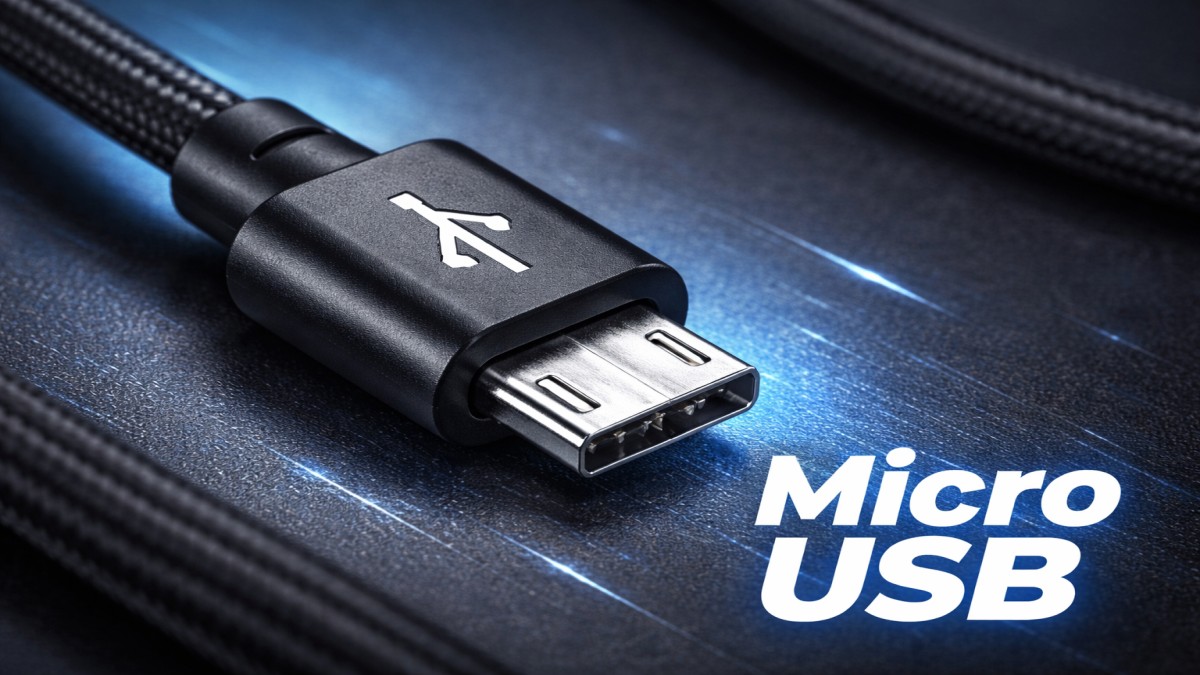
Before USB-C became the shiny new standard, Micro USB ruled the world of charging and data transfer. If you owned a smartphone between 2010 and 2018, chances are you used a Micro USB cable daily. It powered phones, speakers, cameras, and countless accessories.
Even today, Micro USB hasn’t completely disappeared. Let’s explore what Micro USB is, how it works, and why it still matters.
What Is Micro USB?
Definition of Micro USB
Micro USB is a small USB (Universal Serial Bus) connector designed primarily for charging and data transfer in compact electronic devices. It was created to replace larger connectors while maintaining compatibility and functionality.
Why Micro USB Was Introduced
As devices became thinner and more portable, bulky USB connectors just didn’t fit anymore. Micro USB offered a compact solution without sacrificing performance.
Micro USB vs Older USB Standards
Compared to Mini USB and standard USB-A, Micro USB was:
- Smaller
- More portable
- Better suited for smartphones
History and Evolution of Micro USB
Early USB Connectors
USB-A and USB-B were designed for computers and printers. They worked well—but not for slim mobile devices.
Rise of Micro USB in Mobile Devices
Micro USB quickly became the default charging port for Android phones, tablets, cameras, and power banks.
Standardization and Global Adoption
Governments and manufacturers pushed Micro USB as a universal charging standard to reduce electronic waste.
Types of Micro USB Connectors
Micro USB Type-A
Rarely used, Micro USB Type-A appears mainly in OTG (On-The-Go) configurations.
Micro USB Type-B
This is the most common Micro USB connector used for charging and data transfer.
Micro USB Type-AB Explained
Type-AB ports accept both Type-A and Type-B connectors, mostly found in specialized devices.
Micro USB Pin Configuration and Design
Number of Pins and Their Functions
Micro USB connectors typically have five pins:
- Power
- Ground
- Data+
- Data-
- ID pin
Compact Design Advantages
Its slim design allowed manufacturers to create thinner devices.
Durability and Wear Issues
Frequent plugging and unplugging can loosen Micro USB ports over can loosen Micro USB ports over time.
Common Uses of Micro USB
Smartphones and Feature Phones
Older Android phones widely relied on Micro USB.
Power Banks and Chargers
Many budget power banks still use Micro USB input ports.
Bluetooth Devices and Accessories
Speakers, headphones, and fitness trackers often use Micro USB.
Micro USB in Embedded Systems
Microcontrollers and development boards still support Micro USB.
Micro USB for Charging
Charging Speed and Power Output
Micro USB typically supports up to 2.5W–7.5W, depending on the charger.
Fast Charging Limitations
Unlike USB-C, Micro USB does not natively support high-watt fast charging.
Charging Safety Considerations
Using certified cables prevents overheating and short circuits.
Micro USB for Data Transfer
Data Transfer Speeds
Micro USB supports USB 2.0 speeds, up to 480 Mbps.
File Syncing and Device Communication
It works well for photos, documents, and firmware updates.
Real-World Performance
In everyday use, speeds feel slower compared to modern standards.
Advantages of Micro USB
Wide Compatibility
Millions of devices worldwide still support Micro USB.
Affordable and Accessible
Cables and chargers are inexpensive and widely available.
Simple and Reliable Design
Despite limitations, Micro USB is easy to use and dependable.
Disadvantages of Micro USB
Non-Reversible Connector
Plugging it in the wrong way is frustrating—and common.
Slower Speeds Compared to USB-C
Data transfer and charging are noticeably slower.
Mechanical Weakness Over Time
Ports may loosen or fail with heavy use.
Micro USB vs USB-C
Design Comparison
USB-C is reversible; Micro USB is not.
Speed and Power Differences
USB-C supports higher data speeds and fast charging.
Why USB-C Replaced Micro USB
USB-C is more durable, faster, and future-proof.
Micro USB vs Mini USB
Size and Usability
Micro USB is smaller and more device-friendly.
Market Adoption
Micro USB completely replaced Mini USB in most markets.
Why Micro USB Won
Better durability and slimmer design made the difference.
Conclusion
Micro USB may no longer be the star of modern tech, but it played a massive role in shaping the mobile world. It delivered universal charging, affordable connectivity, and wide compatibility at a time when it was needed most. While USB-C is clearly the future, Micro USB isn’t gone yet—it’s simply aging gracefully in budget and legacy devices.
FAQs
1. What is Micro USB used for?
Micro USB is used for charging and data transfer in older smartphones and accessories.
2. Is Micro USB obsolete?
Not completely. It’s still used in budget and legacy devices.
3. Can Micro USB support fast charging?
Limited fast charging is possible, but it’s slower than USB-C.
4. How do I know if my cable is Micro USB?
Check the connector shape—it’s small, flat, and non-reversible.
5. Is Micro USB safe to use?
Yes, when using certified cables and chargers.

Freelance Jobs for Beginners USA (Start with No Experience)

Side Hustle Ideas from Home USA (No Experience Needed) – Beginner’s Guide

Online Jobs from Home USA (Daily Pay) – Start Earning Instantly

Beton Celular Autoclavizat: The Future of Lightweight, Eco-Friendly Construction

Goblets: A Timeless Symbol of Elegance and Celebration

AI Tools for Making Money Online Free (Best 2026 Guide)

Passive Income Apps USA Free: Earn Money Effortlessly in 2026

How to Earn Money from Home Without Investment

ChatGPT Alternatives Free No Login (2026 Guide)

Everything You Need to Know About Koeas

Ishraq Time in Delhi: What It Is, When It Happens, and Why It Matters
Beton Celular Autoclavizat: The Future of Lightweight, Eco-Friendly Construction

Read OPM Manga Online: Where and How to Enjoy One Punch Man Legally

Technisches Gymnasium: Your Gateway to Engineering and Technology

Why Every Small Business Needs a Digital Marketing Agency
Goblets: A Timeless Symbol of Elegance and Celebration

Gold Shower: Nature’s Cascading Yellow Wonder

The Indian Bow: A Legacy of Precision, Power, and Tradition

Robert Provost: A Life of Leadership, Community, and Vision

Are Political Donations Tax Deductible?
Freelance Jobs for Beginners USA (Start with No Experience)
Side Hustle Ideas from Home USA (No Experience Needed) – Beginner’s Guide
Online Jobs from Home USA (Daily Pay) – Start Earning Instantly
Beton Celular Autoclavizat: The Future of Lightweight, Eco-Friendly Construction
Goblets: A Timeless Symbol of Elegance and Celebration
AI Tools for Making Money Online Free (Best 2026 Guide)
Passive Income Apps USA Free: Earn Money Effortlessly in 2026
How to Earn Money from Home Without Investment
ChatGPT Alternatives Free No Login (2026 Guide)
Everything You Need to Know About Koeas

 entertainment7 months ago
PYT Telegram: A Complete Guide to Understanding, Using, and Maximizing It

 entertainment7 months ago
OnionFlix: Everything You Need to Know About This Streaming Website
- others6 months ago
Nook vs Kindle: Which E-Reader Is Right for You?
- gaming7 months ago
Melisandre: The Enigmatic Priestess of Game of Thrones




